Your Smartwatch TV Remote. Always on Your Wrist.
Turn your smartwatch into a powerful TV remote. Control any Android TV or Google TV straight from your wrist over Wi-Fi — navigate, adjust volume, launch apps, power the TV on and off. No phone required.
Free • No ads • No phone needed
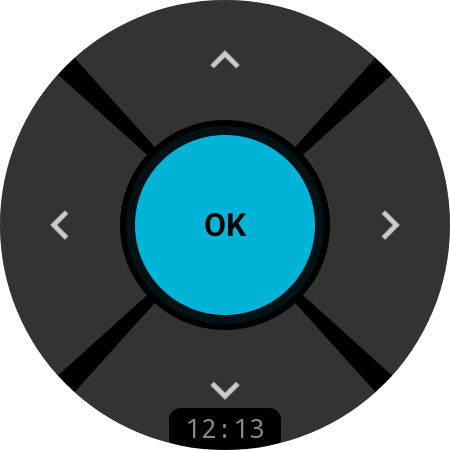
WORKS WITH ANY ANDROID TV OR GOOGLE TV
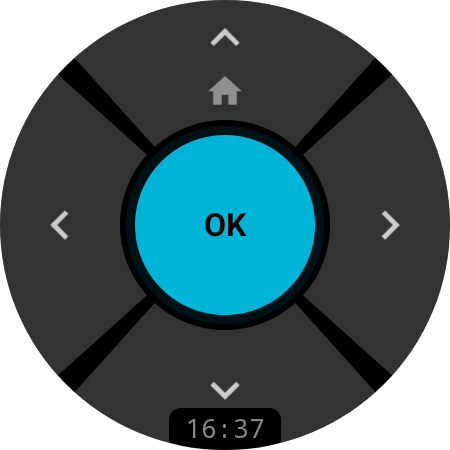
NAVIGATION
Intuitive D-Pad Control
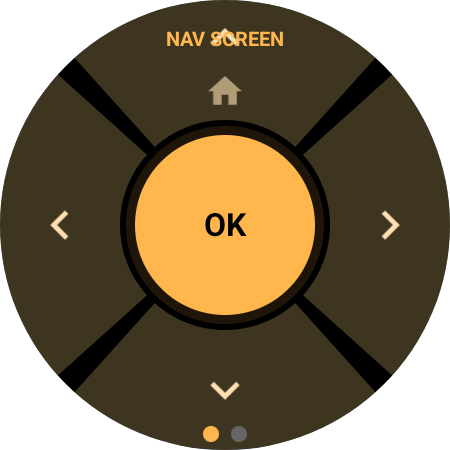
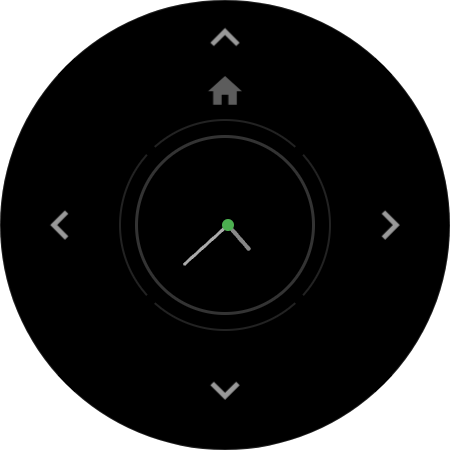
Navigate your TV interface with precision using the 5-button D-pad optimized for the round watch screen. Short press for directional navigation, long press UP for Home. Long press the center button to flip to Media mode.
Free — available without Pro upgrade
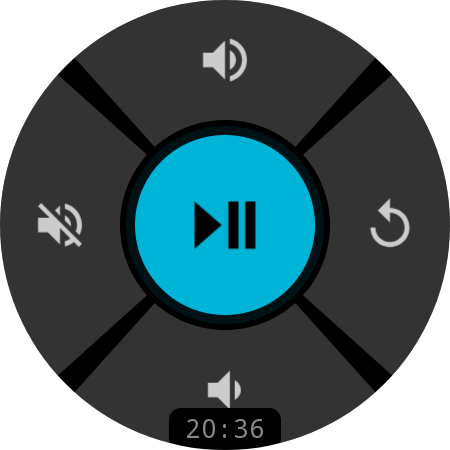
MEDIA
Full Media Control
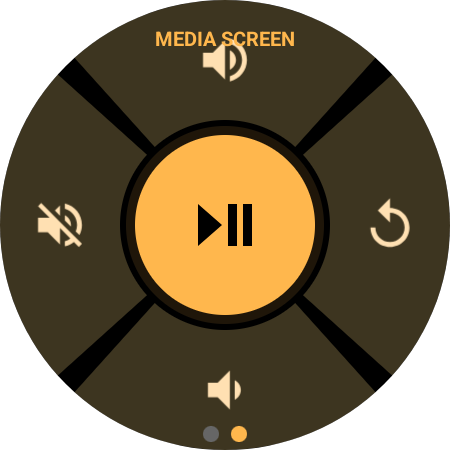
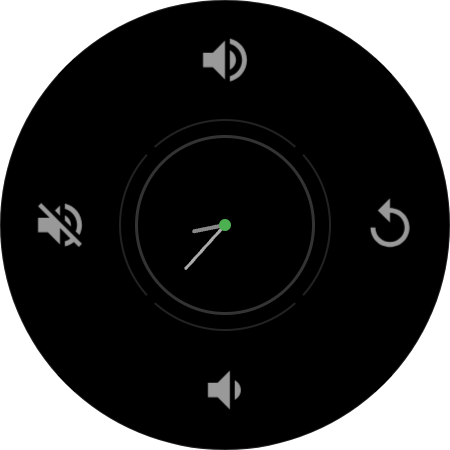
Dedicated media screen with Play/Pause, Volume Up/Down, Mute, and Back — all with large touch targets designed for quick access. Swipe between Navigation and Media screens with a single gesture. Rotate the bezel or crown to adjust volume, with a haptic tick for every step.
Pro feature
QUICK ACTIONS TILENEW
Volume & Power Without Opening the App
Add the TV Remote tile next to your watch faces and a six-button mini remote is one swipe away — Volume, Mute, Power, Home, and Play/Pause by default, with the live connection status right on the tile. Swiping to it pre-warms the link to your TV, so your first tap already lands.
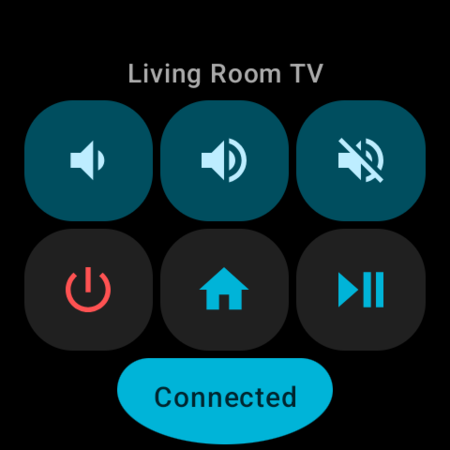
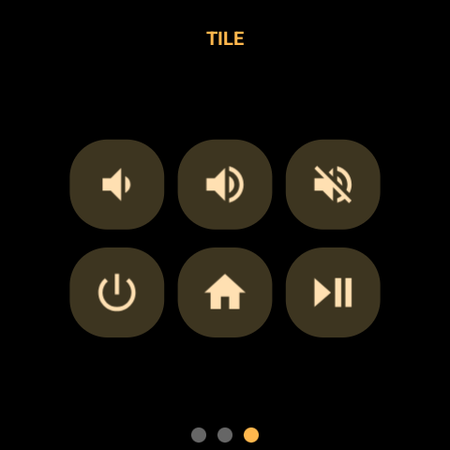
One Swipe From the Watch Face
No app launch, no waiting: the tile renders instantly with six buttons and the name of your active TV, then connects in the background while you aim your thumb. Tap before the link is up and the action is queued and fired the moment the TV answers.
Six Remappable Slots
Every tile button is yours to change. Swap Mute for Netflix, Home for the input picker, or Play/Pause for a fast switch to the bedroom TV — from the same Remap screen as the rest of the remote.
Dressed Like Your Watch Face
On Wear OS 6 the tile picks up your watch face colors, just like the system tiles do. Older watches get the app’s own cyan-and-amber palette, with Power always in red so you never hit it by accident.
Tile included free · button taps are a Pro feature
CUSTOMIZATION
Remap Every Button
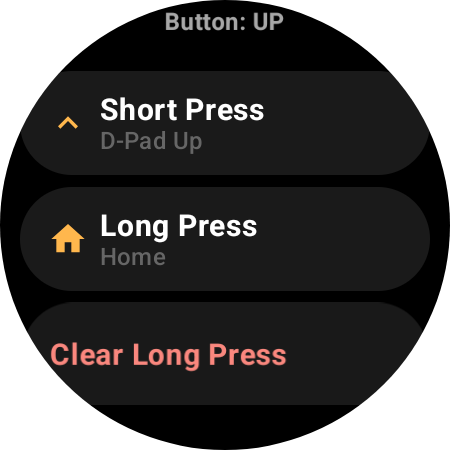
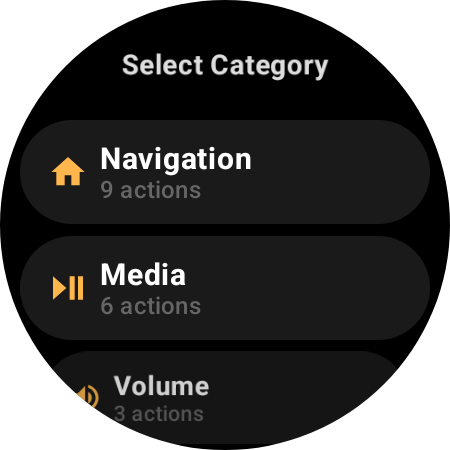
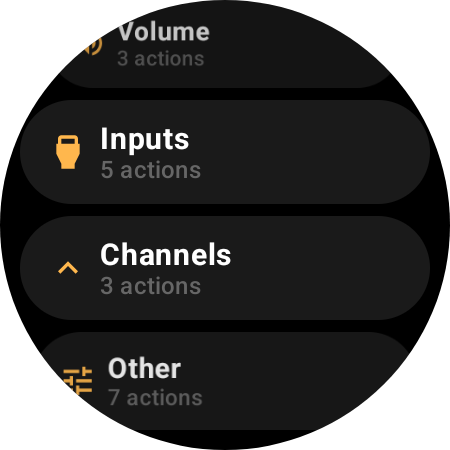
Assign any action to any button — on the Navigation screen, the Media screen, and all six slots of the Quick Actions tile. Set independent short-press and long-press actions. Pick from 29 TV commands across Navigation, Media, Volume, Channels, Inputs, and system controls like Power, TV Guide, Captions, and Voice Assistant — or launch an app, or jump to another TV.
Pro feature
APP LAUNCHER
Your Streaming Apps, One Tap Away
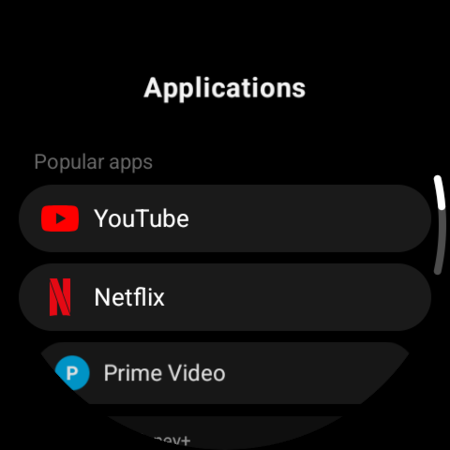
Map any button to launch an app on your TV. Choose from a built-in catalog of 16 popular apps — YouTube, Netflix, Prime Video, Disney+, Max, Apple TV, Spotify, Plex, Twitch, Kodi, Jellyfin and more — or add any app by its package name. Netflix is already loading before you have found the physical remote.
Pro feature
MULTI-DEVICE
Every TV in the House. One Watch.
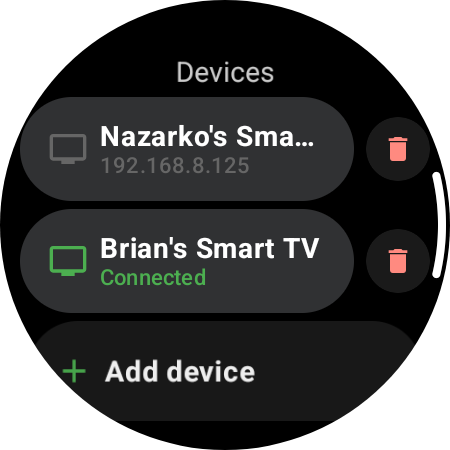
Pair every Android TV in your home, keep them in one list on your wrist, and jump between rooms with a tap — or a single button. Each TV is paired once and remembered, so switching is always instant.
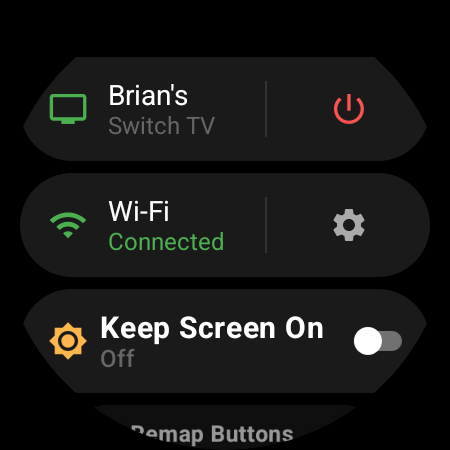
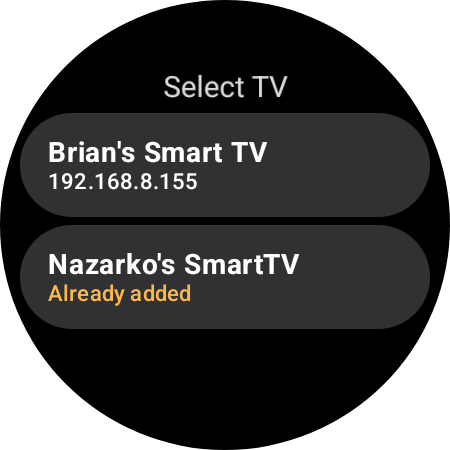
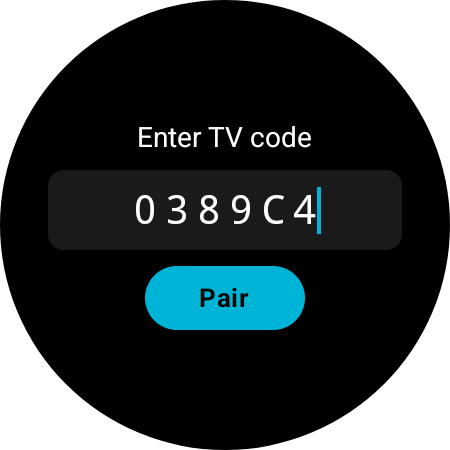
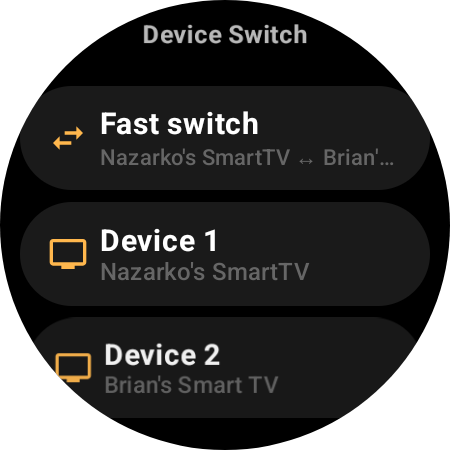
Pair Every TV You Own
Add as many Android TVs as you like — living room, bedroom, office. They all live in one Devices list on your wrist, a single tap apart.
Switch Instantly, No Re-Pairing
Tap any saved TV to connect right away. The app remembers each one and auto-reconnects to your last TV on launch — even if your router hands it a new IP.
One-Button Fast Switch
Map any button — or a tile slot — to Fast Switch and bounce between your two main TVs in a single press, without ever leaving the remote.
Pro feature
ALWAYS READY
Always-On Display
Your remote stays visible even when the watch screen dims. The always-on mode shows an analog clock with a connection status dot — green when connected, red when offline — and shifts position every minute to prevent burn-in. Prefer a cleaner look? Turn the clock off in the menu and the dimmed screen shows the center button’s action instead.
Pro feature
HOW IT WORKS
Control Your TV in 60 Seconds
Install the App
Install TV Remote from the Google Play Store directly on your WearOS smartwatch. No phone companion app needed.
Connect to Your TV
The app automatically discovers your Android TV on the same Wi-Fi network using mDNS. One-time secure pairing with on-screen PIN code.
Start Controlling
Navigate, play, pause, adjust volume, launch apps, power on/off — all from your wrist. Long press the center button to switch between Navigation and Media modes, or add the Quick Actions tile for one-swipe volume and power.
EVERYTHING YOU NEED
Everything a Remote Does. And More.
D-Pad Navigation
Up, Down, Left, Right, OK — with customizable long-press actions
Volume & Mute
On-screen buttons, or rotate the bezel — with a haptic tick per step
Media Playback
Play, Pause, Stop, Next/Previous Track, Fast Forward, Rewind
Power Control
Turn your TV on and off, or send it to sleep — without getting up
Quick Actions Tile
Six remappable buttons one swipe away from the watch face
App Launcher
Start YouTube, Netflix, or any app on the TV with one tap
Button Remapping
29 TV actions, app launch, and device switch — assign any to any button
Multi-Device
Pair every TV in the house and jump between them with one button
Always-On Display
Analog clock with burn-in protection and connection status
Adjustable Haptics
One 0–100 slider tuned to your watch’s motor — or switch it off
29 Languages
Fully localized, from Arabic to Vietnamese — follows your watch or your pick
Wi-Fi Control
No Bluetooth limits — control your TV from any room in your home
THE DETAILS
Small Things, Done Right
A remote lives on your wrist all day, so the little things matter — how it buzzes, what language it speaks, whether it shows the time.
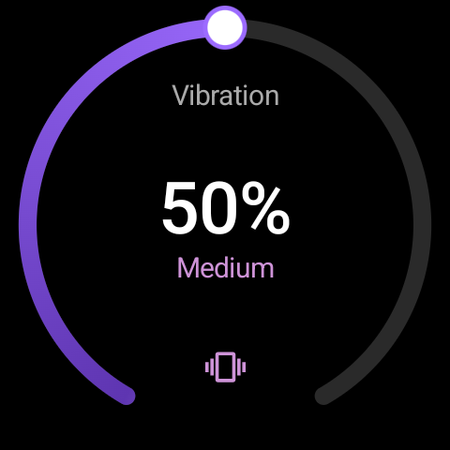
Haptics You Can Dial In
One 0–100 arc instead of three presets. Every tap, bezel tick and long press scales with it, tuned to the motor in your watch — Galaxy, Pixel or OnePlus.
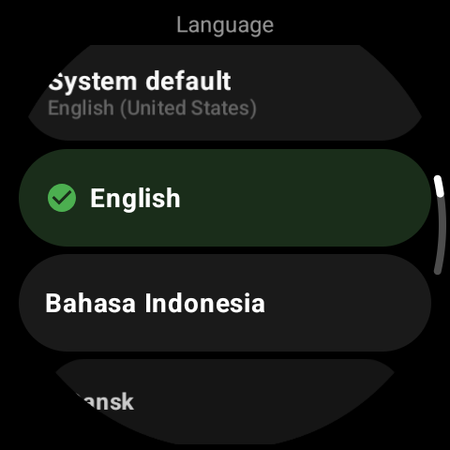
Speaks Your Language
29 languages, switchable right inside the app. Follows your watch’s locale by default — and the Quick Actions tile follows along.
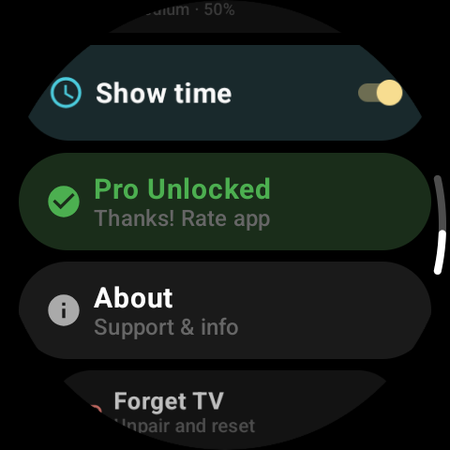
Time, When You Want It
A time pill under the D-pad and an analog face in always-on mode. Prefer a cleaner remote? One toggle hides both.
COMPATIBILITY
Works With Your Devices
Compatible Watches
…and many others! Any watch running WearOS 3.0 or later (API 30+)
Compatible TVs
Compatible with any device running Android TV or Google TV. Controls via Wi-Fi — no Bluetooth pairing, no line-of-sight needed. No additional setup required on the TV side.
FREQUENTLY ASKED QUESTIONS
Everything You Need to Know
Ready to Ditch the Remote?
TV Remote is now available on Google Play — control your TV from your wrist.
Free • WearOS 3.0+ • No phone companion needed